The 17 Best Link Building Tools We Actually Use in 2027

Most “best tools” lists are written by companies selling one of the tools on the list. Read a few and you notice the pattern. The publisher’s own product sits at number one. The pricing is two years old. Nobody explains how the tools fit together.
That leaves you with a shopping list, not a workflow. And link building is a workflow. You find prospects, check their quality, find the right person, send a good pitch, then track what goes live.
So this guide groups the best link building tools by the job they do. Each tool gets its starting price as of November 2026 and whether it has a free plan. You also see who it suits and where it fits in our process. PitchBranch runs manual outreach campaigns for clients, and this is the stack that supports that work.
Quick answer: what are the best link building tools?
The best link building tools cover five jobs. Ahrefs or Semrush handle backlink research. BuzzSumo and Screaming Frog find prospects. Hunter finds contact emails. BuzzStream or Pitchbox manage outreach. Google Search Console tracks results for free. Most teams need one tool per job, not every tool on the market.
Here is the full list at a glance. Prices are the lowest monthly plan billed monthly, checked in November 2026.
| # | Tool | Job | Free plan | Paid from | Best for |
|---|---|---|---|---|---|
| 1 | Ahrefs | Backlink research | Yes, own site | $29/mo | Biggest link index |
| 2 | Semrush | Backlink research | Yes, limited | $139/mo | All-in-one SEO teams |
| 3 | Majestic | Backlink research | Free checks | About $50/mo | Trust Flow and link history |
| 4 | Moz Pro | Backlink research | Free account | $49/mo | Domain Authority and spam score |
| 5 | Google Search Console | Your own links | Free | Free | Google’s own link data |
| 6 | BuzzSumo | Prospecting | Trial | About $199/mo | Finding linkers and journalists |
| 7 | Screaming Frog | Prospecting | Up to 500 URLs | £199/year | Broken and resource page checks |
| 8 | Check My Links | Prospecting | Free | Free | Fast broken link checks |
| 9 | Google search operators | Prospecting | Free | Free | Roundups and resource pages |
| 10 | Hunter | Contact finding | 50 credits/mo | $49/mo | Finding editor emails |
| 11 | ZeroBounce | Email verification | Limited free credits | Pay as you go | Cleaning lists before sending |
| 12 | BuzzStream | Outreach CRM | Trial | $49/mo | Small teams and agencies |
| 13 | Pitchbox | Outreach platform | Demo trial | $300/mo | High-volume agencies |
| 14 | Respona | Outreach platform | 14-day trial | $198/mo | All-in-one prospect and pitch |
| 15 | Qwoted | Digital PR | 2 pitches/mo | $1,188/year | Expert quotes for journalists |
| 16 | HARO by Featured | Digital PR | Free | Free | Daily journalist requests |
| 17 | Google Sheets | Tracking | Free | Free | Simple campaign trackers |
Prices change often, so confirm on each vendor’s site before you buy.
How we chose these tools
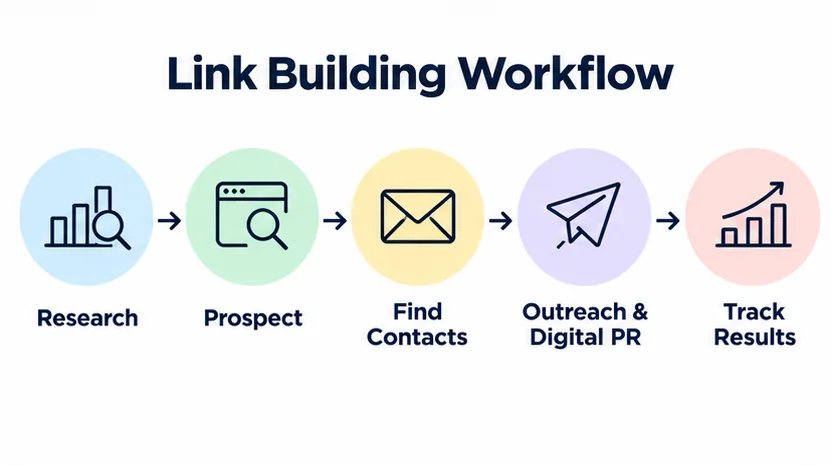
We picked tools that solve a specific step in a real outreach workflow. Each one had to have a clear job, current public pricing and a use we could explain. We left out internal linking plugins and pure technical SEO crawlers. They do not help you earn links from other sites.
Many lists pad their numbers with WordPress plugins for internal links. Those are useful, but they do not build links from other websites. We kept this list to tools that help you earn external links.
We also grouped tools by job instead of ranking them one to 17. A small team might need one research tool, one email finder and Google Sheets. An agency might need a full outreach platform. Grouping makes those choices obvious.
Backlink research tools
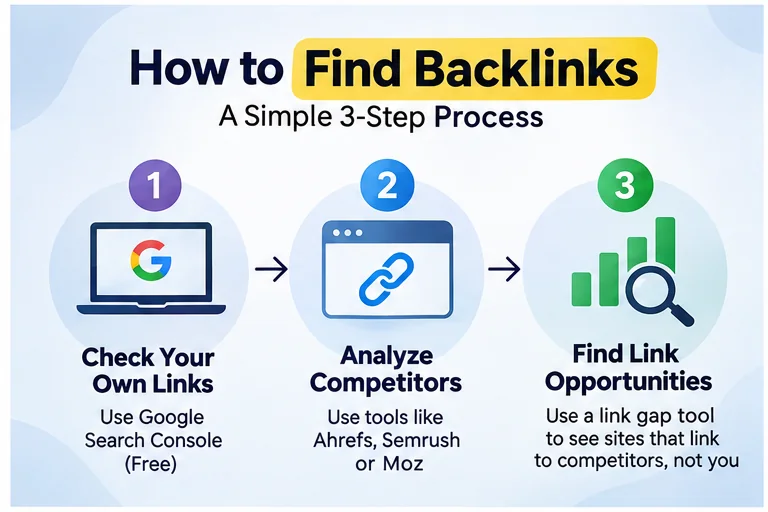
Research tools show who links to a website and which pages earn links. They also reveal links your competitors have that you do not. They are the foundation of every campaign. New to this step? Our guide on how to find backlinks to any website walks through it.
1. Ahrefs
Ahrefs is the most widely used backlink research tool. Site Explorer shows any domain’s referring domains, anchors and most-linked pages. Link Intersect finds sites that link to your competitors but not to you. Its Best by links report with a 404 filter is a ready-made broken link list.
- Free plan: Ahrefs Free gives limited Site Explorer and Site Audit data for your own site.
- Paid from: Starter at $29/mo. Lite is $129/mo, Standard $249/mo and Advanced $449/mo.
- Best for: Teams that want the deepest backlink data.
- How we use it: Competitor link gaps, broken page research and checking a prospect’s organic traffic trend.
- Watch out for: The Starter plan is limited. Serious link research usually needs Lite or above.
2. Semrush
Semrush is an all-in-one SEO platform with strong backlink features. Backlink Analytics shows a site’s full profile, and Backlink Gap compares up to five domains. It also includes a Link Building Tool that suggests prospects and tracks outreach. It suits teams that want keywords, audits and links in one place.
- Free plan: Yes, with limited daily reports.
- Paid from: $139/mo for the SEO plan, billed monthly.
- Best for: In-house teams that also need keyword research and site audits.
- How we use it: A second opinion on backlink counts, since every index sees the web differently.
- Watch out for: Adobe has completed its acquisition of Semrush, so plans and pricing may change.
3. Majestic
Majestic is a backlink specialist with two indexes. Its Fresh Index covers links seen in the past 120 days, and its Historic Index goes back to 2006. Its Trust Flow and Topical Trust Flow scores show whether a site’s links come from trusted, relevant sources.
- Free plan: Free backlink checks and a daily demo search.
- Paid from: About $50/mo for Lite.
- Best for: Checking link history and topical relevance.
- How we use it: Spotting sites whose links come from unrelated topics, a common sign of a link farm.
- Watch out for: The interface feels dated next to Ahrefs and Semrush.
4. Moz Pro
Moz Pro includes Link Explorer, which shows backlinks, anchor text and Moz’s Domain Authority score. Its Spam Score flags sites with features common to penalized domains. A free Moz account gives limited Link Explorer queries, which is enough for occasional checks.
- Free plan: Free Moz account with limited Link Explorer access.
- Paid from: $49/mo for Starter, billed monthly.
- Best for: Teams that report on Domain Authority to clients.
- How we use it: A quick Spam Score check on borderline prospects.
- Watch out for: Domain Authority is a Moz metric, not a Google ranking factor.
5. Google Search Console
Google Search Console is the only free tool that shows links Google itself has found. Its Links report lists your top linked pages, top linking sites and top linking text. It only works for sites you own, so it cannot show competitor data.
- Free plan: Completely free.
- Best for: Confirming new links and spotting lost ones on your own site.
- How we use it: Every month, to confirm placements are being picked up.
- Watch out for: It shows a sample of links, not every link, according to Google’s Links report documentation.
Prospecting tools
Prospecting tools find the pages and people most likely to link to you. A good prospect list matters more than a good email. Before you pitch anyone, run them through our 9-signal checklist for high quality backlinks.
6. BuzzSumo
BuzzSumo finds the most shared and linked content on any topic. It shows who linked to that content. That makes it a fast way to find people already interested in your subject. Its journalist database helps with digital PR outreach.
- Free plan: Free trial only.
- Paid from: About $199/mo.
- Best for: Content-led campaigns and digital PR.
- How we use it: Finding writers who covered a topic recently, so the pitch feels timely.
- Watch out for: It is expensive if you only need occasional searches.
7. Screaming Frog SEO Spider
Screaming Frog is a desktop crawler best known for technical SEO. For link building, it crawls resource pages and link lists to find broken outbound links. Each broken link is a reason to contact the site and offer your page as a replacement.
- Free plan: Free version crawls up to 500 URLs.
- Paid from: £199 per licence per year.
- Best for: Broken link building at scale.
- How we use it: Checking long resource pages for dead links before we pitch.
- Watch out for: It has a learning curve and runs on your own computer.
8. Check My Links
Check My Links is a free Chrome extension that highlights broken links on any page you open. It is the fastest way to check a single resource page. Green links work and red links are broken.
- Free plan: Free.
- Best for: Quick checks on individual pages.
- How we use it: A five-second test while reviewing a prospect.
- Watch out for: It checks one page at a time.
9. Google search operators
Google search operators turn Google into a free prospecting tool. Combine your topic with phrases like intitle:resources or “best tools” to find resource pages and roundups. Exclude your own site to find unlinked brand mentions.
- Free plan: Free.
- Best for: Finding roundups, resource pages and mentions.
- How we use it: Searches like “your topic” intitle:resources and “YourBrand” -site:yourdomain.com.
- Watch out for: It is manual and slow at scale.
Contact finding and verification tools
The best prospect is useless if your email reaches the wrong inbox. These tools find the right person and confirm the address works.
10. Hunter
Hunter finds email addresses linked to a domain and verifies them. Its Domain Search shows the people at a company and their likely email format. It also includes a basic outreach feature for small campaigns.
- Free plan: 50 credits per month.
- Paid from: $49/mo for Starter with 2,000 credits.
- Best for: Finding editor and site owner emails.
- How we use it: Finding the editor, not the generic info@ inbox.
- Watch out for: Small sites may have no public emails in its database.
11. ZeroBounce
ZeroBounce verifies email lists before you send. It flags invalid, risky and catch-all addresses. Sending to bad addresses hurts your sender reputation, which lowers the chance your pitches reach any inbox.
- Free plan: A limited number of free monthly credits.
- Paid from: Pay-as-you-go credit packs.
- Best for: Cleaning lists before a campaign.
- How we use it: Verifying every new list before it enters our outreach tool.
- Watch out for: Free credit terms change, so check the current limit.
Link building outreach tools
Outreach tools manage your pitches, follow-ups and replies. They save time, but they do not replace a good pitch. We explain why in our guide to manual outreach versus automated link building.
12. BuzzStream
BuzzStream is an outreach CRM built for link building and PR. It stores prospects, contact history and relationship notes. It handles personalized emails and follow-ups, and it suits teams that value relationships over volume.
- Free plan: Free trial.
- Paid from: $49/mo for Starter.
- Best for: Small teams and agencies.
- How we use it: Tracking every conversation with an editor so nobody gets pitched twice.
- Watch out for: Its reporting is simpler than Pitchbox’s.
13. Pitchbox
Pitchbox is an outreach platform for agencies that run many campaigns at once. It combines prospecting, personalized email sequences and reporting. It integrates with Ahrefs, Semrush, Moz and Majestic to pull metrics into each prospect.
- Free plan: Trial after a demo.
- Paid from: $300/mo for Pro, with a one-year commitment.
- Best for: Agencies running high-volume outreach.
- How we use it: Managing larger campaigns with several team members.
- Watch out for: All plans require a one-year contract.
14. Respona
Respona combines prospecting, contact finding and personalized outreach in one tool. It searches for relevant pages, finds contacts and helps you write tailored emails. It reduces the number of separate tools a small team needs.
- Free plan: 14-day free trial.
- Paid from: $198/mo for Starter.
- Best for: Teams that want one tool instead of three.
- How we use it: Running content promotion campaigns from one dashboard.
- Watch out for: It costs more than combining a CRM with a separate email finder.
Digital PR tools
Digital PR tools connect you with journalists who need expert sources. One good quote can earn a link from a major publication. We explain how this differs from classic outreach in our guide to digital PR versus traditional link building.
15. Qwoted
Qwoted connects experts with journalists looking for sources. You browse requests, pitch answers and get notified when a reporter uses your quote. It is one of the most active alternatives to HARO.
- Free plan: Basic plan with 2 pitches per month and a short delay.
- Paid from: Pro at $1,188 per year with 35 pitches per month.
- Best for: Founders and experts who can answer fast.
- How we use it: Quote requests for clients with genuine expertise.
- Watch out for: Most pitches are not used. Speed and specificity matter.
16. HARO by Featured
HARO sends daily emails with journalist requests for expert sources. Featured.com acquired HARO from Cision in April 2025 and relaunched it as a free service. Answering quickly with specific, credible insight can earn links from major outlets.
- Free plan: Free.
- Best for: Experts with time to answer requests every day.
- How we use it: Monitoring requests that match a client’s niche.
- Watch out for: Competition is heavy, so generic answers rarely land.
Tracking tools
17. Google Sheets
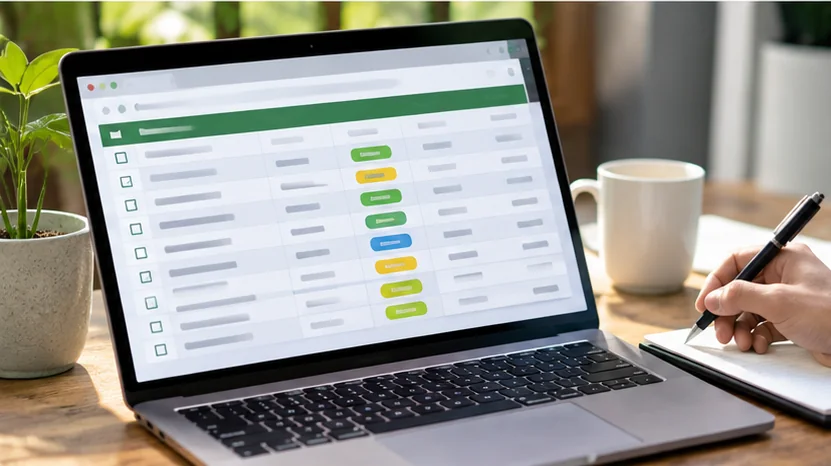
Google Sheets is still the most flexible link building tracker. Record each prospect, its quality score, the contact, pitch date, status and live URL. It is free, shareable and easy to hand to clients or teammates.
- Free plan: Free.
- Best for: Small teams and simple campaigns.
- How we use it: A shared tracker for every placement, from first pitch to live link.
- Watch out for: It needs manual updates and discipline.
Use these columns as a starting point:
| Column | What to record |
|---|---|
| Prospect URL | The page you want a link from |
| Quality score | Your score out of 18 |
| Contact | Name and verified email |
| Pitch date | When you sent the first email |
| Follow-ups | Dates of each follow-up |
| Status | Not started, pitched, replied, live, declined |
| Live URL | The page with your link |
| Link attribute | Followed, nofollow or sponsored |
What are the best free link building tools?
The best free link building tools start with Google Search Console for your own links. Google search operators handle prospecting, and Check My Links finds broken links. Add Hunter’s free 50 credits, Ahrefs Free for your own site and Google Sheets for tracking. That stack covers every step at no cost.
Here is a complete free stack:
- Research: Google Search Console, Ahrefs Free and a free Moz account.
- Prospecting: Google search operators and Check My Links.
- Contacts: Hunter’s free plan.
- Outreach: Your normal email account, sent one by one.
- Digital PR: HARO and Qwoted’s free plan.
- Tracking: Google Sheets.
Free tools limit volume, not quality. A careful team with a free stack can still earn excellent links.
How to choose the right link building software
Choose the best link building software by the job you need done most, your budget and your volume. Small teams need one research tool and an email finder. Agencies need an outreach platform with reporting. Do not pay for tools that cover steps you rarely do.
Match the tool to your situation:
| Situation | Recommended stack | Approximate monthly cost |
|---|---|---|
| Solo site owner | Search Console, Ahrefs Starter, Hunter free, Sheets | About $29 |
| Small in-house team | Ahrefs Lite or Semrush, Hunter Starter, BuzzStream | About $230 to $240 |
| Growing agency | Ahrefs Standard, Hunter Growth, Pitchbox | About $700 |
| PR-led brand | BuzzSumo, Qwoted Pro, HARO | About $300 |
The best SEO link building tools for you are the ones your team will actually use every week. Ask these questions before buying:
- Which step takes your team the most time today?
- How many prospects do you contact each month?
- Do you need client-ready reports?
- Can you test the tool on a free plan or trial first?
Can AI tools do link building?
AI tools can speed up research, personalize first drafts and sort prospect lists. They cannot build relationships or judge relevance the way a person can. Fully automated AI outreach usually produces generic emails that editors ignore. Mass automation also risks breaking Google’s link spam rules.
Use AI to summarize a prospect’s recent articles or draft a first pass of a pitch. Then edit it by hand. Google’s link spam policy lists automated link-building programs as a violation, so tools should support people, not replace them.
Tools find opportunities. People earn links. That is why the best tool stack still depends on how well you judge sites and write pitches. Our guide on how to get backlinks with 21 proven strategies covers the tactics these tools support.
Frequently asked questions about link building tools
What is the best tool for link building outreach?
BuzzStream is the best fit for most small teams. It keeps relationships and follow-ups organized at a fair price. Pitchbox suits agencies running many campaigns, but it requires a one-year contract. Respona works well if you want prospecting, contact finding and outreach in one place. Whichever you choose, the pitch matters more than the platform. Personal, specific emails earn far more replies than templated blasts.
Do I need Ahrefs for link building?
No, but a backlink research tool makes link building much faster. Semrush, Majestic and Moz Pro all offer similar research features. If budget is tight, start with Google Search Console, Ahrefs Free for your own site and Google search operators. Add a paid tool when you need competitor link gaps at scale. Ahrefs is popular because of its large index, not because it is required.
Is link building software worth the money?
They are worth it when they save more time than they cost. A $49 email finder that saves several hours a month pays for itself quickly. An expensive outreach platform is only worth it if you send enough pitches to use it. Start with free plans and trials, then pay for the step that slows your team down the most.
What is the difference between SEO tools and link building tools?
SEO tools cover many jobs, including keyword research, site audits and rank tracking. Link building tools focus on earning links from other sites. Some platforms do both. Ahrefs and Semrush are full SEO suites with strong backlink features. Hunter, BuzzStream and Pitchbox are dedicated outreach tools that handle contacts and outreach.
Can link building software get my site penalized?
The tools themselves do not cause penalties. How you use them does. Sending thousands of generic emails, buying links at scale or automating link placement breaks Google’s link spam policy. Using tools to research, find contacts and manage personal outreach is normal practice. Keep paid placements tagged with rel=“sponsored” or rel=“nofollow”.
How many link building tools do I need?
Most teams need three to five. One research tool and one email finder usually cover most of the work. Add a way to send and track outreach, plus Google Search Console. Add a digital PR tool if you pitch journalists. Buying more tools rarely improves results. Better prospects and better pitches do.
What is the best free backlink research tool?
Google Search Console is the best free tool for your own site because it shows links Google has found. For other sites, free checkers from Ahrefs and Semrush show a limited sample of top backlinks. A free Moz account adds limited Link Explorer queries. Combine two or three for a fuller picture.
Final thoughts on choosing your tool stack
Remember the lists ranking their own product first? The honest truth is that no single tool wins. The right stack depends on the step that slows you down.
Start with free research and prospecting tools. Add an email finder, then an outreach tool once your volume justifies it. Judge every prospect with care, because tools can find sites but cannot tell you which links are worth having. Our guide on why topical relevance beats domain rating explains how to make that call.
My prediction is that AI features will keep spreading into every tool on this list. The teams that win will use AI for research and keep the pitches human.
Which tool would you add to this list? Would you rather skip the tool stack entirely? Talk to our outreach team or see how a white-hat link building partner handles it for you. You can also read answers to common questions about our process or browse more link building guides.